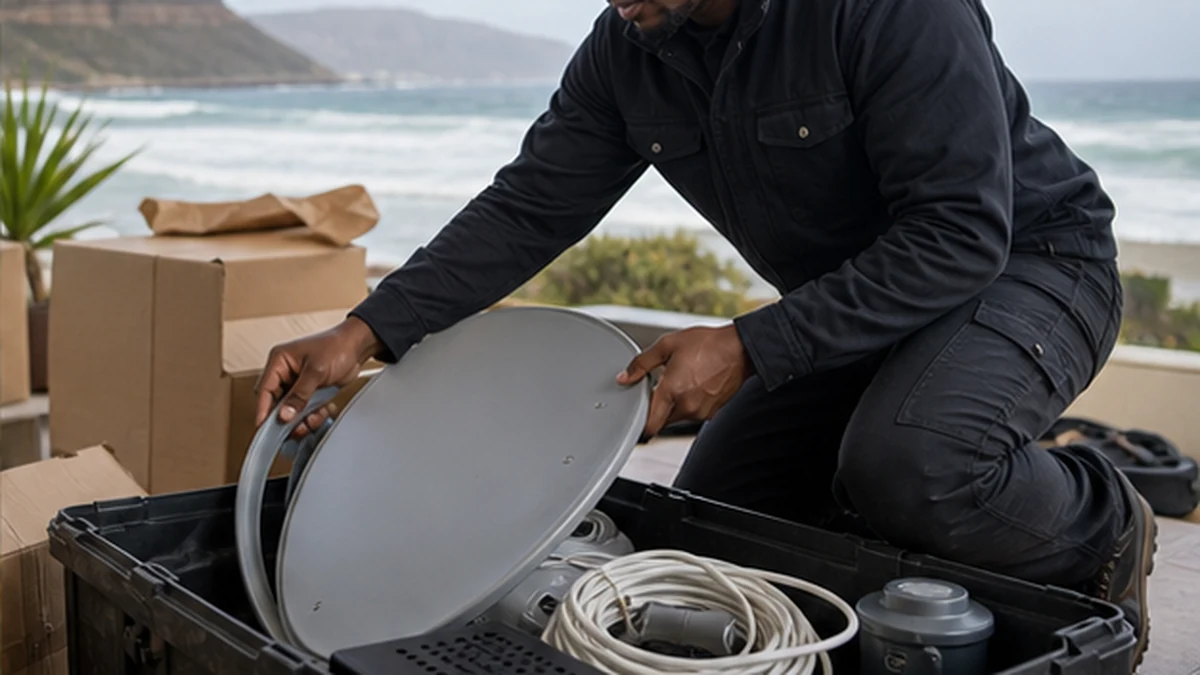
Use this practical checklist to move a dish, decoder and viewing points safely between Kommetjie homes.
A DStv move goes more smoothly when the decoder, dish and new television position are planned together. Simply carrying the decoder to the new home does not create a working satellite feed. The destination still needs a secure mounting point, clear line of sight, suitable cabling and a final signal test. Use this checklist for a move within Kommetjie or into a Kommetjie home, especially when moving day already has many competing tasks.
Before moving day in Kommetjie
List every part of the current arrangement. Record the decoder model, number of viewing points, remote controls, power supplies and any network connection used by the television area. Take clear photos of connections before unplugging them. Keep account details accessible, but do not write passwords on a moving box. If two decoders are linked, treat them as one system rather than separate appliances.
Confirm whether the old dish must be removed and whether the property owner expects holes or brackets to be addressed by a building contractor. Book the DStv relocation service with both addresses and access notes. Do not assume a dish can be removed safely while furniture movers are working directly below it.
Assessing the new Kommetjie address
Choose the main television position before a cable route is installed. The screen needs sensible viewing height, power, ventilation for the decoder and access to inputs. The dish position is a technical decision based on line of sight and a firm fixing surface. Trees, planned additions and exposed roof edges can make an apparently convenient spot unsuitable.
Homes around Kommetjie Village, Imhoff's Gift and Klein Slangkop differ in wall construction and access. Slangkop exposure can also make an unnecessarily high mounting point less desirable. The installer should inspect the actual property. If no reusable satellite system is available, the work may resemble a new DStv installation.
Pack the decoder and accessories safely
Switch equipment off, disconnect it gently and keep each decoder with its own remote and power supply. Use a dry, padded box. Do not place heavy books or kitchen items on top. Coaxial connectors should not be bent or used as carrying points. Label HDMI, network and satellite leads if you plan to reuse them, but let damaged or incorrectly sized cable stay behind.
A decoder should travel inside the vehicle rather than on an open trailer exposed to spray or rain. The dish and bracket need secure handling because a bent reflector or arm can affect alignment. An installer can identify which outdoor parts are worth moving after checking corrosion, fixings and compatibility.
Plan cable routes before furniture settles
Walk the likely route from the dish entry point to each television. Existing conduits may help, but they should not be assumed clear or dry. Surface routes should avoid sharp bends, loose loops and places where doors or garden tools can crush the cable. External connectors need weather protection, and entry points should reduce the chance of driven rain following the cable indoors.
For linked rooms, plan all points at once. The Extra View installation page explains why decoder compatibility, LNB choice and communication between boxes matter. It is easier to agree on the complete layout before cupboards, beds and wall-mounted televisions block access.
The handover checklist after a Kommetjie relocation
After mounting and alignment, confirm picture and sound at every agreed screen. Test the remote, decoder guide and any linked viewing point. Ask the technician to explain the new cable route and identify any equipment that was not reused. If the television also needs a secure final position, coordinate the work with TV wall mounting rather than hiding leads before the screen location is fixed.
Keep the work area dry and note where external joins or entry points sit. If a fault appears later, record the on-screen message and which rooms are affected. A problem at every decoder suggests a shared signal-path issue, while one affected room may point to its local cable or connection. Clear observations make follow-up diagnosis faster.
Moving also creates a useful chance to simplify the old arrangement. Remove abandoned leads that can be identified safely, label the cable that remains and keep ventilation around the decoder. Do not place the box inside a sealed cupboard just to hide it. If the new home has solar backup or surge protection, ask the relevant qualified person how the entertainment equipment should be connected. Satellite installers should not improvise fixed electrical changes. Finally, update the household instructions with the new cable entry and support contact. A short handover note will be valuable months after the boxes have been unpacked.
If the move is into a managed estate or complex, arrange contractor access before arrival. Share gate procedures and parking limits without sending private access codes more widely than necessary. Check whether ladders can reach the proposed work area without blocking neighbours. These small details prevent rushed decisions about dish position. They also help the technician complete testing while the television and decoder are still available.
Frequently asked questions in Kommetjie
Can a DStv dish be moved to any Kommetjie house?
It can be moved if it remains serviceable, but the new property still needs safe access, a suitable fixing surface and clear satellite line of sight.
Should movers transport my decoder?
Keep the decoder, remote and power supply together in a padded, dry box. Many households prefer to carry this box inside their own vehicle.
Can old coaxial cable be reused after a move?
Only if the cable is the correct type, long enough and undamaged. Water ingress, crushing or poor connectors are reasons to replace the affected run.
When should the new dish be installed?
Install after the television positions are decided and when the work area can be kept clear. Coordinate access around other moving-day trades.