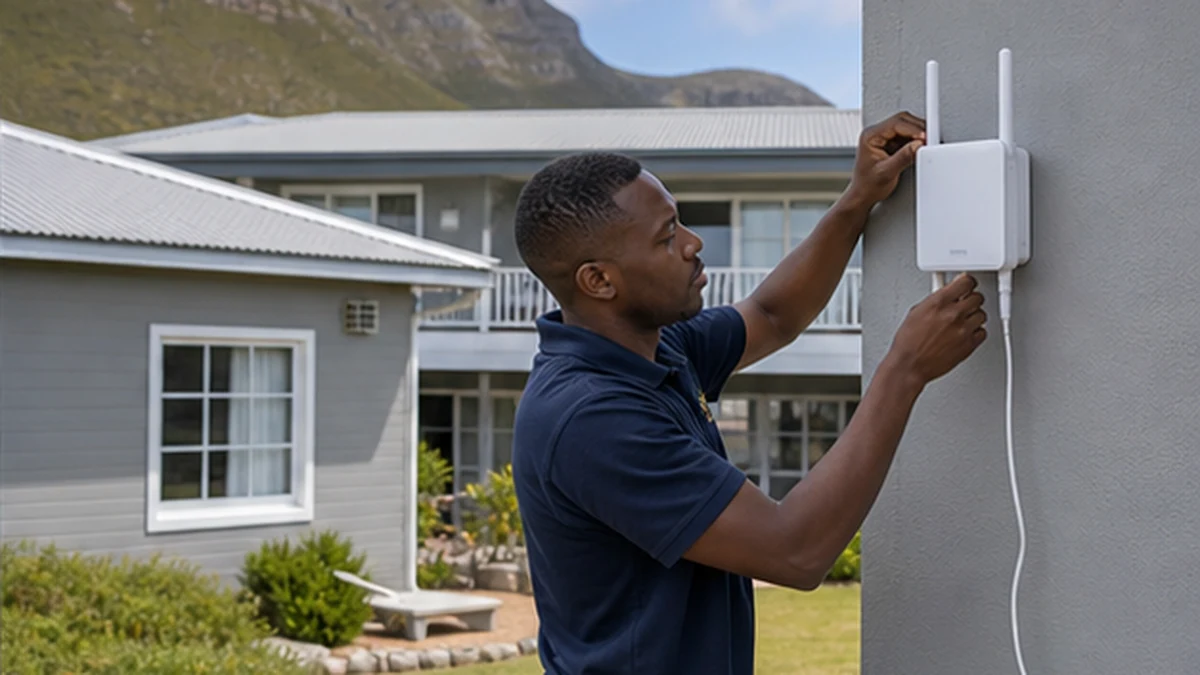
Compare cable, wireless bridge, mesh and access-point options for reliable WiFi in a detached Kommetjie building.
A strong signal in the main house does not guarantee usable WiFi in a detached cottage, garage or studio. Exterior walls, distance, metal doors and garden structures can weaken the link before it reaches the second building. Extenders are often placed where the signal is already poor, so they repeat an unstable connection. A reliable Kommetjie solution starts with a site test and a choice between cable, a point-to-point wireless bridge, mesh or a dedicated access point.
Define what the second building needs
List the devices and tasks that will use the connection. Email and a smart speaker need less than several guests streaming while cameras upload video. Decide whether the cottage needs only WiFi or also wired ports for a television, work desk or recorder. Note where people actually sit, because a strong reading at the door does not prove good coverage in the bedroom.
Check the main internet service first. An outbuilding link cannot create bandwidth that does not reach the primary router. The WiFi network setup service can measure the existing network, identify interference and separate an internet-line problem from a local coverage problem.
Cable and fibre between Kommetjie buildings
A properly designed wired connection gives the second building a stable backhaul for its own access point. The route, distance, surge exposure and building-entry method all matter. Copper data cable between separate buildings can carry electrical risk and should not be improvised. Fibre can provide electrical isolation, but it needs suitable equipment and protected termination.
Use the correct trade and method for trenches, conduits and electrical safety. Keep data routes away from damage by vehicles, gates and garden tools. A cable lying loose across paving is not a permanent network. Once the backhaul is installed, place an access point where it serves the cottage rather than hiding it in a metal cupboard.
Wireless bridge to a Kommetjie outbuilding
A point-to-point bridge uses dedicated units facing each other to carry the network between buildings. It needs a clear or suitably tested path and secure mounting. Trees, moving branches and new structures can affect the link. The units should be aligned and configured as infrastructure, not treated like ordinary indoor range extenders.
Coastal wind and salt influence bracket choice, cable entries and maintenance. Keep outdoor connectors protected and form drip loops. Mounting at extreme height is not automatically better if a lower position has a clean path and safer service access. Test throughput and stability at the far end. The signal display on one unit is insufficient.
Mesh and repeaters for nearby cottages
Mesh can work when the buildings are close and a node in each location still receives a strong backhaul signal. It performs poorly when thick exterior walls and distance leave the remote node with only a weak connection. Adding more nodes does not always help. Each hop can introduce congestion, and devices may cling to the wrong node.
Place nodes in measured positions, not just near a plug. Use wired backhaul where practical. If the network supports holiday guests, create a separate guest network rather than sharing the owner's main credentials. The holiday-home viewing comparison also explains how streaming needs can influence the entertainment choice.
Testing WiFi in the Kommetjie cottage
After installation, test in every important room and at different times. Check browsing, a realistic video call or stream, and any wired device. Confirm that walking from the main house to the cottage does not leave devices attached to an unusable access point. Record network names and where equipment receives power.
For cameras in the second building, verify live view and recording rather than assuming a speed test proves the full system. The coastal CCTV placement guide covers camera-specific power and field-of-view checks. For a guest cottage, add simple connection instructions through the guest entertainment checklist and keep administrative passwords private.
Write down the network design once it works. Record which device is the main router, which units form the bridge and which access point serves the cottage. Note cable routes and power sources. This prevents a future reset from turning every unit back into a different default network. Keep administrative access separate from the guest password, and use unique secure credentials. If a power interruption is common, test how the link recovers after equipment restarts. Devices may boot in a different order, so confirm that the remote access point reconnects without requiring somebody to enter a locked main house.
Do not judge success from the network icon alone. Measure performance at the times and places that matter. Check latency during a call, stability during a stream and handover while walking between buildings. If weather appears to affect an outdoor wireless link, inspect alignment and mounting safely rather than increasing transmit power blindly. The goal is consistent usable service within legal and equipment limits, not the highest number displayed beside one test device.
Frequently asked questions in Kommetjie
Will a plug-in extender reach my Kommetjie cottage?
It may help only when placed where it still receives a strong source signal. Thick exterior walls and distance often make a planned bridge or cable more reliable.
Is a wireless bridge the same as normal WiFi?
The bridge carries the network between two fixed points. A separate access point usually provides normal device WiFi inside the second building.
Can I run an ordinary network cable through the garden?
Loose indoor cable is not suitable. Inter-building routes need correct cable, protection, entry details and consideration of electrical and surge risks.
Should guests use my main WiFi password?
A separate guest network is preferable when supported. It limits access to private devices and makes credential changes easier to manage.