Prepare a reliable, simple DStv and streaming setup that Kommetjie holiday guests can use without owner passwords or cable confusion.
Guests do not know which remote normally works, which HDMI input carries DStv or whether the decoder was left on the wrong screen. A guest-proof setup removes those small uncertainties. It also protects owner profiles and makes changeover checks repeatable. For a Kommetjie holiday rental, include the satellite signal, television, WiFi and streaming devices in one simple entertainment plan. Keep the guide short enough that a tired guest will actually read it.
Choose a simple default viewing setup
Decide what should appear when guests switch on the television. Use one clearly named input for the decoder and avoid unnecessary devices. If a soundbar requires another remote or startup sequence, write the steps in the order they happen. Test from a fully switched-off state instead of assuming the previous guest left everything ready.
If you are still selecting the satellite platform, compare the options in Openview vs DStv for a holiday home. Do not advertise specific channels unless the active package is checked regularly. Channel access is an account matter, while picture breakup across the service may be a physical signal problem.
Kommetjie holiday rental DStv instructions
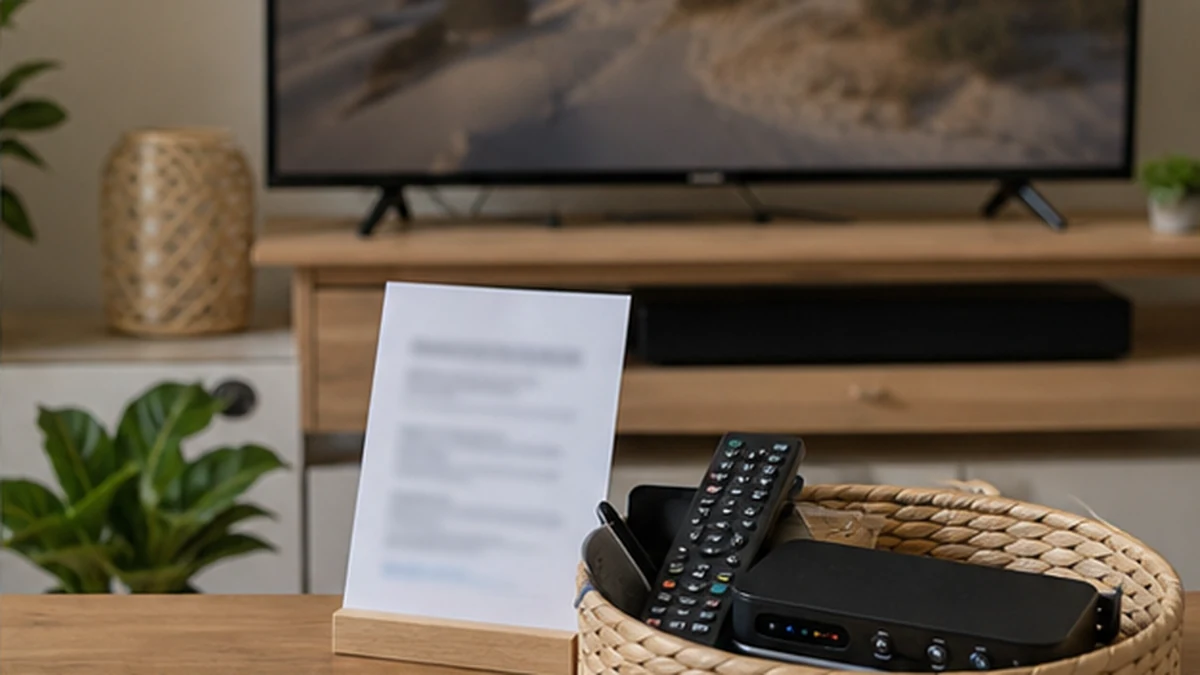
Create one page with the television power button, correct input and decoder steps. Use a photo of the actual remotes if helpful. Explain what not to unplug. Include a local support contact and ask guests to share the exact on-screen error rather than repeatedly reconnecting cables. Keep provider account numbers and owner passwords out of the public house manual.
Store remotes in one obvious tray and label them without covering sensors or battery compartments. Keep spare batteries with the changeover supplies, not loose beside children. If the decoder or dish needs professional attention, the DStv repair service can test the signal path instead of guiding guests through roof-level checks.
WiFi and streaming without exposing owner accounts
Provide a guest network when the router supports it. Display the guest network name and password in the property, but keep router administration details private. Use guest or rental modes on streaming apps where available. Sign out of personal purchasing profiles and remove saved payment methods that guests do not need.
Test WiFi at the television and in sleeping areas. A detached cottage may need a planned network extension, as covered in the Kommetjie outbuilding WiFi guide. Avoid promising flawless streaming when the underlying internet service or remote-building link has not been tested under realistic use.
Changeover checks before Kommetjie guests arrive
Switch on the television from cold and confirm the default source, picture, sound and remote batteries. Check that cables are seated without being stretched. Open the programme guide and test one representative channel available on the active package. For streaming, confirm the guest network connects without exposing an owner's profile.
Inspect safely visible outdoor cable after strong wind or rain. Do not send cleaning staff onto a roof. If faults tend to follow wet weather, read the guide to moisture in DStv coaxial cable. Log recurring errors, because repeated resets can hide a degrading connector without fixing it.
Handover and support boundaries
Tell guests whom to contact, what information to send and which actions to avoid. A useful message includes a photo of the screen, the selected input and whether internet services also work. Separate support for the television setup, internet provider and DStv account. One contact person can coordinate, but the underlying providers still solve different layers.
After each stay, return the television to the default input and remove guest logins where appropriate. Keep a private equipment list with decoder model, remote type, router location and cable route. If the screen is loose or leads remain exposed, arrange secure TV mounting and cable management before the next arrival.
Make the entertainment check part of a wider arrival routine. The person preparing the property should know where the electrical isolator, router and decoder power supplies are, without moving furniture or tugging cables. Photograph the normal remote tray and television input screen for the private changeover guide. If a guest moves equipment, the next cleaner can restore it to the documented state. Avoid long troubleshooting scripts. After a power check, correct input check and one controlled restart, persistent faults should move to the responsible technician or provider. This protects the equipment and keeps guest communication calm.
Review the guide whenever a television, decoder, router or remote is replaced. Old photos and button descriptions can be worse than no instructions because guests follow them confidently. Keep the public guide device-focused and the private guide technical. The public version explains normal use. The private version records serial or model details, provider contacts, account ownership and service history. This division gives guests enough help without exposing information they do not need.
Frequently asked questions in Kommetjie
What should a Kommetjie rental DStv guide include?
Include power, the correct television input, decoder use, remote identification, a support contact and a request for the exact error message.
Should guests receive the owner streaming password?
Prefer guest profiles or rental modes where available. Do not expose purchasing credentials, personal profiles or router administration passwords.
How often should the setup be tested?
Use every changeover to perform a short cold-start check. Also test after known weather or building work that may have affected cables or equipment.
What if the guest reports no signal?
Ask for a screen photo and whether other services work. Do not ask guests to climb, move a dish or open shared equipment.