
The wind is howling off the Atlantic, the surf is blown out and the family wants to watch last night's episode. This is exactly what DStv Catch Up is for. It stores recent shows so you can play them when it suits you, on the Explora or on the app. Below: how it works, what it needs and how to fix it.
Quick answer
DStv Catch Up is a library of recently aired shows you can watch on demand. On an Explora it arrives by satellite and, with internet, many more titles download in the background. On the DStv app it streams over WiFi or mobile data. It is included in your subscription, but PVR decoders also pay the monthly Access Fee.
How DStv Catch Up Works in Kommetjie: Decoder vs App
There are really two versions of the same service, and people mix them up all the time. One lives on the hard drive inside your Explora. The other streams from the internet to a phone, tablet, laptop or smart TV.
| Feature | Catch Up on Explora | Catch Up on the DStv app |
|---|---|---|
| Where it plays | The TV connected to the Explora | Phone, tablet, laptop or smart TV |
| Needs internet? | No for the basic library, yes for the extra titles | Yes, always |
| Uses data? | Only for internet downloads | Yes, every minute you stream |
| Works in a storm? | Yes for shows already downloaded | Yes, if your fibre or mobile signal holds |
| Extra cost | Included, plus the R125 Access Fee for PVRs | Included in your subscription |
DStv says Catch Up is only possible on its PVR decoders, because they have a hard drive to store shows. A standard HD single view decoder cannot do it. The Explora holds over 175 hours of content, according to DStv's own help pages.
If you have a dish but no decoder that supports it, an upgrade is part of a normal DStv installation in Kommetjie. We often reuse the existing dish and cabling when they are still in good shape, which keeps the cost down.
Streaming-only homes are a third option. If you would rather skip the dish altogether, the DStv Stream packages give you live channels and Catch Up over the internet alone, on a smart TV or a Streama box. That suits flats and rentals where a dish is not allowed.
Catch Up on Explora: What You Get With and Without Internet
Out of the box, Catch Up on Explora fills itself from the satellite. You do not need to do anything. A selection of popular series, movies and kids' shows simply appears in the menu.
Connect the Explora to the internet and the library grows a lot. DStv explains that its decoders do not have enough space to hold everything by satellite, so the online link pulls extra titles down. On Premium, this extended library is called Catch Up Plus.
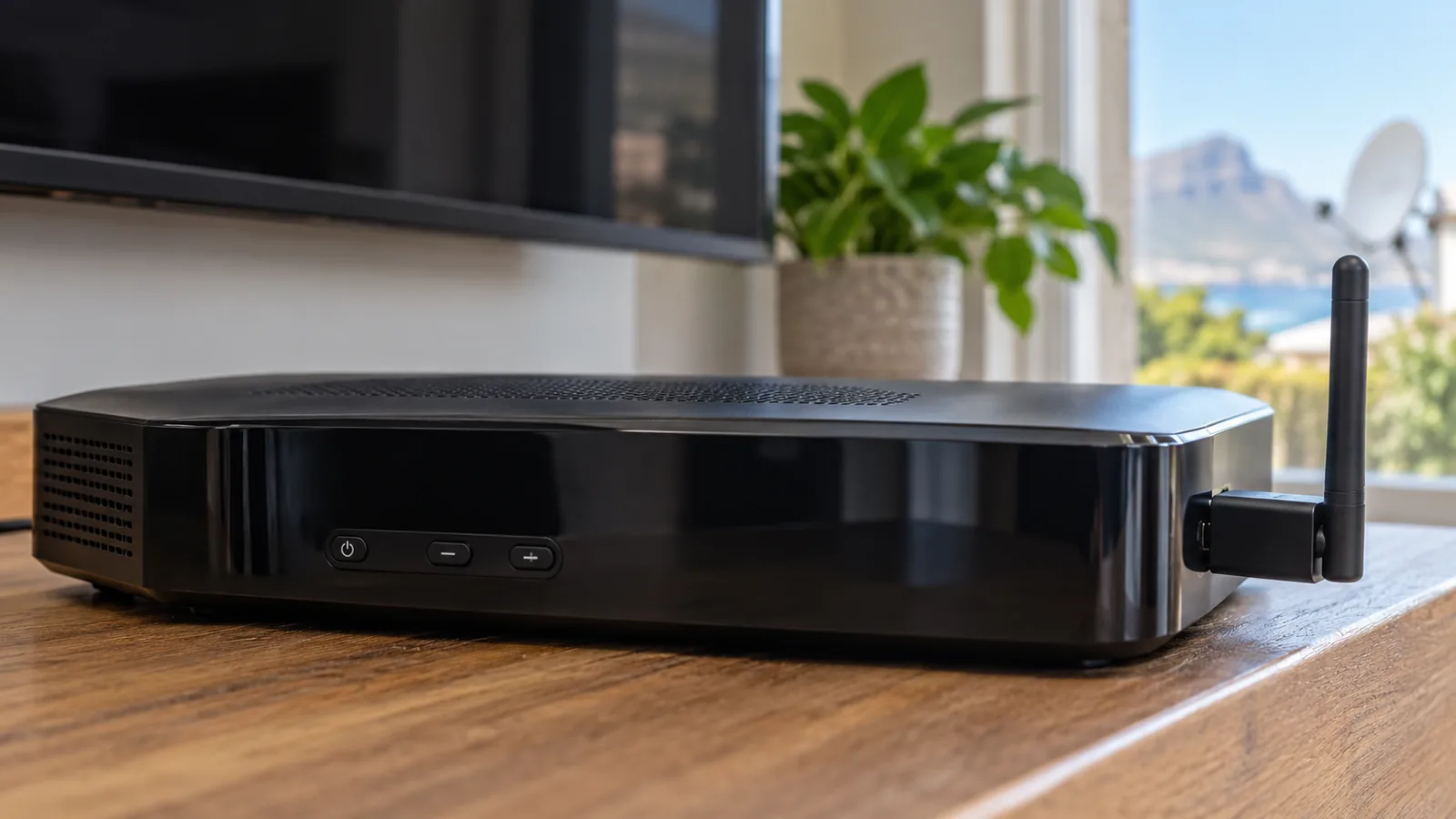
Getting the Explora online for DStv Catch Up
- Run a network cable from the router to the green port on the back of the Explora.
- Or use a DStv WiFi connector if the router is in another room.
- Or upgrade to an Explora Ultra, which has WiFi built in.
We compare those three routes in detail in our guide to the DStv WiFi connector for Kommetjie homes. If you are starting from scratch, our Explora installation service in Kommetjie sets up the decoder, Smart LNB and internet link in one visit.
Good to know
How long a show stays on DStv Catch Up depends on DStv's agreements with the channels. DStv says it can be a few days to a few months after it first airs. If something vanished, it may simply have reached the end of its window.
Internet and Data for DStv Catch Up in Kommetjie
For an internet-connected Explora, DStv recommends an uncapped line. Its published minimums are 2Mbps for downloads, 4Mbps for SD viewing and 10Mbps for HD. It also warns that failed downloads still use data.
On the app, DStv's own FAQ says streaming can use from about 1.15MB a minute at the lowest quality up to about 41MB a minute at the highest HD setting. That is a big range. An evening of HD series on mobile data can cost more than you expect.
- On uncapped fibre, leave the Explora connected all the time, as DStv suggests.
- On a capped LTE router, turn off automatic downloads in Connected Services.
- On the app, lower the video quality in settings when you are on mobile data.
- Download shows on WiFi before a trip so you can watch offline where the app allows it.
Many homes in Kommetjie, Sunnydale and Capri now have fibre, but holiday rentals often rely on a small LTE router. If WiFi barely reaches the lounge, our home WiFi setup in Kommetjie can bring a strong signal to the TV cabinet.
Need DStv help in Kommetjie?
Tell us what you need or what your screen shows. We price the job before we drive out.
DStv Catch Up Not Working? Try These Fixes
When DStv Catch Up not working is the problem, the cause is usually small. Work down this list in order before calling anyone:
- Check the account. An unpaid balance or missing Access Fee switches off the hard drive features.
- Run the Connectivity Checker. Press Help, choose Tools, then Connectivity Checker. Two green ticks mean the internet link is fine.
- Turn on Connected Services. Press the blue DStv button, then Settings, User Preferences, Connected Services.
- Restart the Explora. Switch off at the wall for a minute, then back on, and leave it on a channel.
- Free up space. A full hard drive leaves no room for new Catch Up titles, so delete old recordings.
- Check the satellite signal. If live TV is also down with E48-32, the dish is the issue, not Catch Up.

Technician tip
If Catch Up episodes stop updating but live TV is perfect, it is nearly always the internet side. Test the connection at 8pm, when the whole street is streaming. A link that passes at noon but fails at night points to weak WiFi, not a faulty decoder.
When the problem is on the roof
Catch Up on Explora still relies on the dish for its satellite library. On the Atlantic side, winter fronts can shift a dish or salt can corrode an LNB plug. If the signal is weak, our guide on setting the DStv signal manually in Kommetjie shows how to read signal quality, and our article on the right dish size for Kommetjie homes explains why size matters here.
Safety first
If the dish looks out of place, check it from the ground. Wet, salty roofs are slippery and a dish can catch a gust like a sail, so leave climbing and realignment to a trained installer.
Record vs Catch Up: Which Should You Use?
People often ask us about record vs catch up, as if they must pick one. They work best together. Recording saves exactly what you choose, while Catch Up is a ready-made library chosen by DStv.
- Record when the show matters to you, such as a live final, a local series or anything that may not land on Catch Up.
- Use Catch Up for popular series and movies you forgot to record, without using up your own planning.
- Use series recording so every new episode saves automatically while you are out on the water.
- Use remote recording on the app when you are away from Kommetjie and remember a show at the last minute.
Both draw on the same hard drive, so a box crammed with old recordings has less room for fresh DStv Catch Up downloads.
DStv Catch Up in Kommetjie Holiday Homes and Rentals
Holiday homes in Klein Slangkop, Imhoff's Gift and along Long Beach use Catch Up a little differently. The house may be empty for weeks, then full of guests who all want different shows.
- Before guests arrive, switch the Explora on for a day so it can refresh its library.
- Leave a short note on how to find Catch Up in the menu. Guests rarely look for it on their own.
- If the internet is capped, switch off background downloads while the house is let out.
- Give guests the app option so they can stream on their own devices without taking over the TV.
DStv Catch Up in Kommetjie rentals also depends on the package. On the bigger bouquets you get the extended library and many more box sets. Our look at the DStv Premium package in Kommetjie shows what the top tier adds. The full list of help topics is on the official DStv Catch Up FAQs.

Get DStv Catch Up Working in Your Kommetjie Home
If you have worked through the fixes and Catch Up still will not play, our team can help. We cover Kommetjie, Ocean View, Misty Cliffs and Scarborough, quote before we drive out, and test Catch Up with you on the TV. Our DStv installers serving Kommetjie usually gets there the same or next day, depending on the schedule. Ask us for a quote.
DStv catch up in Kommetjie: FAQs
Is DStv Catch Up free?
DStv Catch Up is included in your subscription at no extra charge, according to DStv. You can stream it on the app or website, or watch it on an Explora. If you use a PVR decoder like the Explora, the monthly Access Fee applies, which was R125 at the time of writing. Internet data costs are separate.
Does DStv Catch Up need internet?
Not for the basic library on an Explora, which arrives by satellite. DStv Catch Up on the app always needs internet, and connecting your Explora to the internet adds many more titles. DStv recommends an uncapped connection and at least 10Mbps for the best HD experience.
Why is my DStv Catch Up not updating episodes?
Usually the Explora has lost its internet link, Connected Services is switched off, or the hard drive is full. Run the Connectivity Checker from the Help menu, switch Connected Services on, and delete old recordings. Also check the account is paid up, because an unpaid Access Fee stops the hard drive features.
Can I watch DStv Catch Up in Kommetjie on a single view decoder?
No. DStv says Catch Up only works on its PVR decoders, because they have a hard drive to store shows. In Kommetjie, a standard HD single view decoder will not show Catch Up. You can still stream Catch Up on the DStv app, or upgrade to an Explora or Explora Ultra.
How long do shows stay on DStv Catch Up?
It depends on DStv's agreements with each channel. DStv says shows can stay on Catch Up for a few days up to a few months after they first air. If you want to keep something for longer, record it on your Explora instead, as long as there is space on the hard drive.
Does DStv Catch Up use a lot of data in Kommetjie holiday homes?
It can. In Kommetjie holiday homes on capped LTE, background downloads on the Explora and HD streaming on the app eat data fast. DStv's app FAQ puts streaming at up to about 41MB a minute at the top quality. Turn off automatic downloads and lower the app quality while you are on capped data.